The Ten-Minute Tech Checkup That Adds Years to Cheap Gear

Photo: Unknown authorUnknown author, Public domain, via Wikimedia Commons
Cheap gadgets do not usually die of old age. They die of neglect. The router that has not been rebooted since spring. The earbuds that live in a hot car. The smart plug that got updated during a thunderstorm. The fix is not a new gadget. It is a short monthly habit. Call it Firmware Friday: ten minutes, once a month, no notification-chasing. This is the routine I would run on any budget router, earbuds, smart plug, TV, or power bank in late 2026.
What Firmware Actually Does
Firmware is the small operating system inside a device. Updates can patch security holes, fix connection bugs, improve battery reporting, or add features. They can also remove features, slow down old hardware, or introduce new bugs. The goal is not to be current. The goal is to be stable and safe. That distinction matters most on cheap gear, where the manufacturer may have stopped caring about your model two years ago.
The Ten-Minute Route
Set a timer. Do not open every app. Do not read every release note. Work through the list once a month and move on.
Minutes 1 and 2: Router. Open the admin page. Check the firmware version. Back up the configuration if the option exists. Install the update only if the release notes mention security or stability. Reboot. Change the default admin password if it has never been changed. Do not factory reset unless you are troubleshooting a real problem.
Minutes 3 and 4: Earbuds or headphones. Open the official app. Check for updates. Make sure both buds and the case are at least half charged before installing. Keep the device close to the phone. Clean the charging contacts with a dry cloth. Skip the update if the only new feature is a voice assistant you will never use.
Minutes 5 and 6: Smart plugs. Update one plug at a time, not the whole house at once. After each update, check that schedules and remote control still work. If a plug controls a heater, a fridge, or anything critical, do not update it unattended. A smart plug that loses its schedule is annoying. A smart plug that fails closed on a space heater is worse.
Minutes 7 and 8: TV or streaming device. Run the system update check. Update the major apps. Restart the device. Do not install every app the store suggests. On older TVs, a major system update can make the interface slower than the version you had. If the TV works, be conservative.
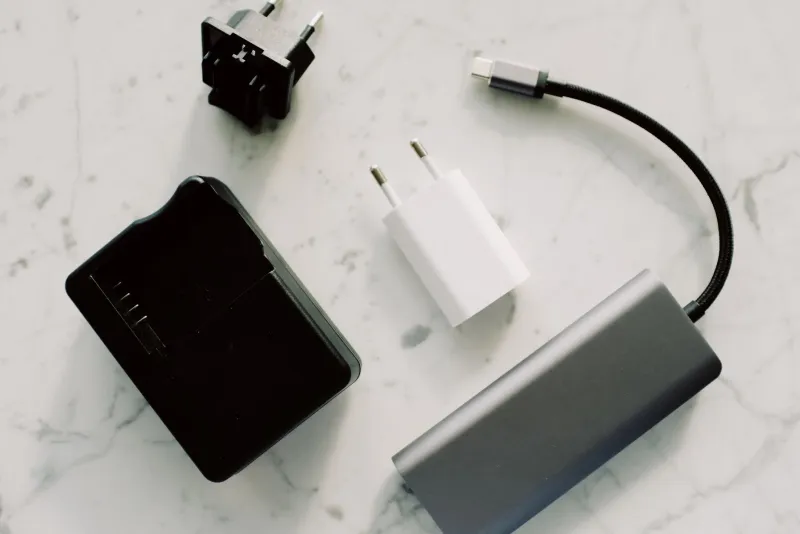
Minutes 9 and 10: Power banks and cables. Most power banks do not have user-installable firmware, so do not hunt for an update that does not exist. Check for swelling, loose ports, or a case that is separating. Charge the bank to about 50 to 80 percent if you are storing it. Inspect cables for fraying, bent connectors, and that soft spot near the plug. Replace bad cables before they damage a port.
Which Updates Are Worth Installing
Install security patches for routers, cameras, and smart plugs. Those devices sit on your network and are exposed to the internet. Install stability fixes for earbuds that drop connection or fail to pair. Install bug fixes for a TV that freezes or loses sound. Skip feature updates that add ads, remove ports, require a new account, or slow down old hardware. If the release notes are vague, wait a week and search your model number plus the word 'update issue.' Let someone else be the beta tester.
Battery Care That Beats Any Firmware
Heat is the enemy. Do not leave earbuds, power banks, or phones in a hot car. A 20 to 80 percent charge range is gentler than 0 to 100 every day. Do not store a power bank at zero for months. Use the right charger, not the gas-station cable with a loose connector. If a battery swells, stop using it and recycle it. Do not poke it, press it, or put it in a drawer and hope.
Cable Care Is Half the Job
A bad cable can make a good device look broken. It can cause slow charging, dropped data, and overheating at the connector. Inspect the cables you use every day. Do not yank them out by the cord. Label the ones behind the desk. Keep one known-good cable in each bag. Replace frayed cables immediately. The $8 cable is not worth the $80 repair.
When Skipping an Update Is the Safer Call
Skip the update if the device is end-of-life and the update only adds a feature you do not need. Skip it if the update requires a newer phone, a newer app, or a newer operating system than you have. Skip it if the release notes are empty. Skip it if the device is critical and you have no backup. Skip it if early buyers report bricked units. Waiting is not laziness. Waiting is risk management.
The Monthly Checklist
- Router: firmware check, config backup, reboot, password check.
- Earbuds: app update, contact cleaning, charge check.
- Smart plugs: one-at-a-time update, schedule test.
- TV or streamer: system update, app update, restart.
- Power banks: swelling check, storage charge, port check.
- Cables: fray check, label check, replace bad ones.
Ten minutes a month will not make a cheap gadget last forever. It will keep it from dying from something stupid. That is most of the battle.