Skip the Subscription Traps: How to Build a Smart Home Under $200 That Doesn't Lock You In
Smart home marketing loves to sell you a system. Buy our hub, our bulbs, our doorbell, our subscription — and congratulations, you now live inside one company's walled garden. If that company ever changes its pricing, kills a feature, or sunsets the app, your whole house goes dumb overnight.
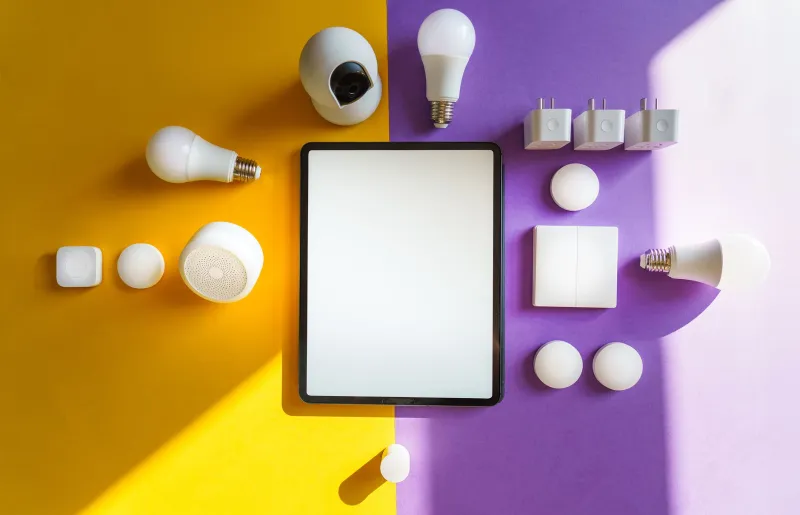
Here at EE-Shopp, we'd rather you spend $200 once and own gear that outlives any single app. So this is a build-it-yourself starter kit: four device categories, bought in the right order, all chosen to work across Alexa, Google Home, and Apple Home. Total damage? Under $200 — with room to spare.
Buy This First: Smart Plugs ($10–15 Each)
The humble smart plug is the best value in home tech, period. Any lamp, fan, coffee maker, or holiday light string becomes controllable from your phone or voice for about the price of a pizza.
Look for plugs that support Matter or at minimum work with all three major voice assistants natively. Brands like TP-Link's Kasa line, Wyze, and Amazon Basics all sell reliable multi-packs in the $20–30 range. Grab a two- or three-pack and you've covered your living room lamp, a bedroom fan, and the coffee maker for under $30.
Why first? Because plugs require zero installation, teach you how automations actually work, and immediately solve real problems — like the lamp across the room you never feel like getting up to switch off.
Next Up: Smart Bulbs Where They Matter ($25–40)
Don't bulb the whole house. Smart bulbs shine in exactly two places: bedrooms (warm dimming for wind-down routines) and living rooms (scenes for movie night). Everywhere else, a smart plug controlling a regular bulb does the same job for half the price.
A two-pack of color-changing bulbs from Govee, Wyze, or TP-Link runs $20–35. Again, check for Matter support or at minimum "works with Alexa/Google/HomeKit" on the box — that label is your escape hatch from lock-in.
One rule: never put a smart bulb in a fixture controlled by a wall switch someone might flip off. When the switch is off, the bulb is unreachable, and you'll be standing in the dark wondering why. Save smart bulbs for lamps, use smart plugs or switches elsewhere.
The Speaker: One Device, Three Ecosystems ($25–50)
A smart speaker is the command center of a budget setup — but here's the lock-in danger zone. An Echo speaker quietly nudges you toward Alexa-only devices; a Nest Mini does the same for Google.
The workaround: buy a speaker that also supports Matter and can control third-party devices directly, and keep your other devices ecosystem-agnostic. An Echo Dot (frequently on sale for $25–35) or a Nest Mini is a fine starting point because the Matter-compatible plugs and bulbs you bought will respond to either. The trap isn't the speaker itself — it's buying speaker-branded accessories that only talk to one assistant. Avoid those, and you can swap ecosystems later without replacing your whole house.
Last (and Most Optional): The Camera ($25–60)
Cameras are where subscription creep lives. Plenty of brands give you a cheap camera, then charge $3–5 a month to actually see recorded clips. Over three years, that "cheap" camera costs you $150+.
Two ways to dodge it:
- Local storage cameras — brands like Eufy and Wyze offer microSD card storage or local base stations, no monthly fee required.
- Motion-alert-only use — if you just want a ping when someone's at the door, free live-view tiers from Wyze or Blink cover you.
An indoor Wyze cam sits around $25–35; an outdoor-rated option from Eufy or Blink runs $50–70. Only add this if you actually have a reason — a camera watching an empty room is a gadget, not a tool.
The Full Kit, Tallied
| Device | Approx. Cost |
|---|---|
| 3x smart plugs (multi-pack) | $30 |
| 2x smart bulbs (two-pack) | $30 |
| Smart speaker (Echo Dot / Nest Mini) | $30 |
| Indoor camera with local storage | $35 |
| Total | ~$125 |
That leaves $75 of headroom — enough for a smart power strip for the TV setup, a second bulb pack, or a video doorbell on sale. Spend it last, after you've lived with the basics for a month and know what you'd actually use.
The Three Rules That Keep You Unlocked
- Matter is your insurance policy. Any device carrying the Matter logo works across Alexa, Google, and Apple Home. When in doubt, check the box.
- Never pay monthly for basics. Recording clips and setting schedules should be free. If a product's core features hide behind a subscription, skip it.
- Buy by problem, not by possibility. "I want the porch light on at sunset" is a reason to buy. "I wonder what a smart toaster does" is how drawers get full.
Start Small, Stay Flexible
The best smart home isn't the biggest one — it's the one that still works when you switch phone platforms, when a company changes its app, or when you move apartments. Build it device by device, around problems you actually have, with gear that answers to you and not to one company's roadmap. Two hundred dollars is more than enough to get there.